

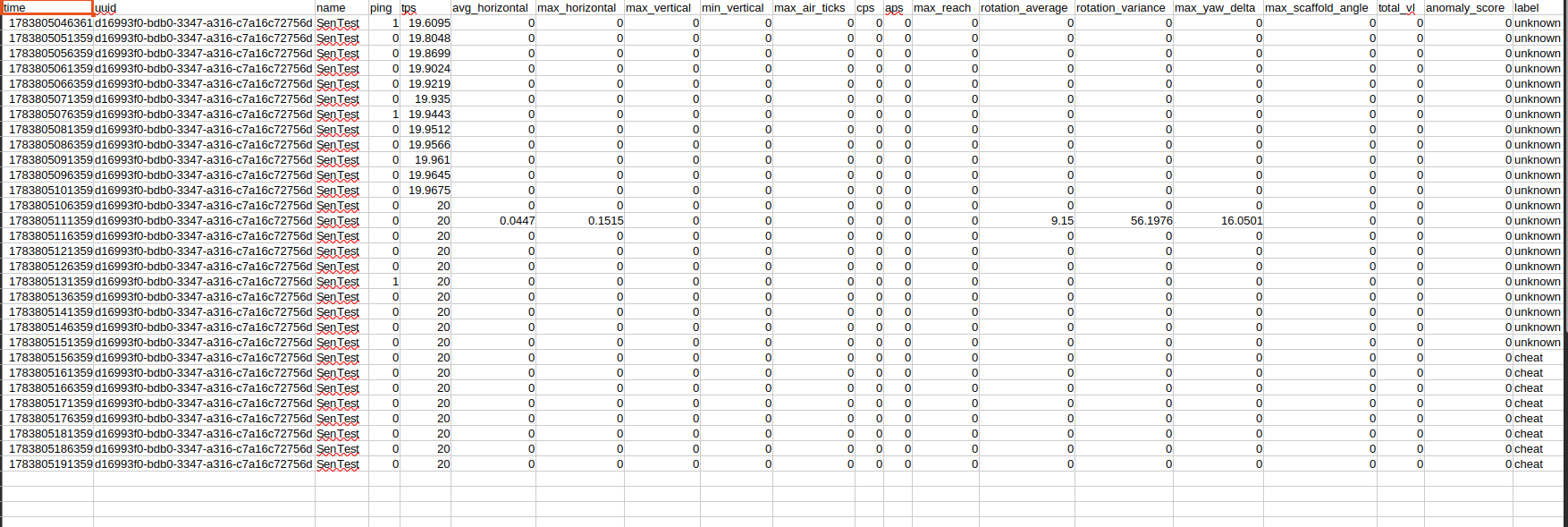
CSV values are written with 4 decimal places where appropriate.
Example CSV rows
Storage and Retention
Behaviour samples currently have no automatic age or row-count retention limit. Bothbehaviour.db and behaviour-data.csv grow as samples are collected. Admins should monitor disk usage and establish a retention policy appropriate for their player count.
Recommended maintanace:
- Stop the server before making a complete backup of the behaviour folder.
- Backup
behaviour.dbtogether with anybehaviour,db-walandbehaviour.db-shmfiles if the server was not stopped correctly - Archive
behaviour-data.csvif it becomes too large. The plugin creates a new file and header when the configured CSV file does not exist. - Do not delete WAL/SHM files when the server is running
- Keep database and CSV data private because it containes UUIDs, player names, activity measurments and staff classifications.
Resetting Behaviour Data
To reset all behaviour samples and labels safely:- Stop the server
- Backup
plugins/SMP/Anticheat/Behaviour/if data may be needed later - Delete the entire Behaviour folder
- Start the server. The plugin recreates the folder, database schema, and CSV when the new samples are written.
behaviour-data.csv resets only the export.Deleting only
behaviour.db removes persistent samples and labels but leaves the old CSV history, so the 2 files will no longer represent the same time range.
Disabling the Behaviour Profiler
Set:/anticheat reload or restart the server. Existing files are preserved and no new behaviour samples are collected when disabled. Standard movement, combat, block, and packet checks continue working. Only behaviour profiling and BehaviourAnomaly scoring stop.